

Here is a tutorial on how to access your orders.
1. Login to your WordPress website.
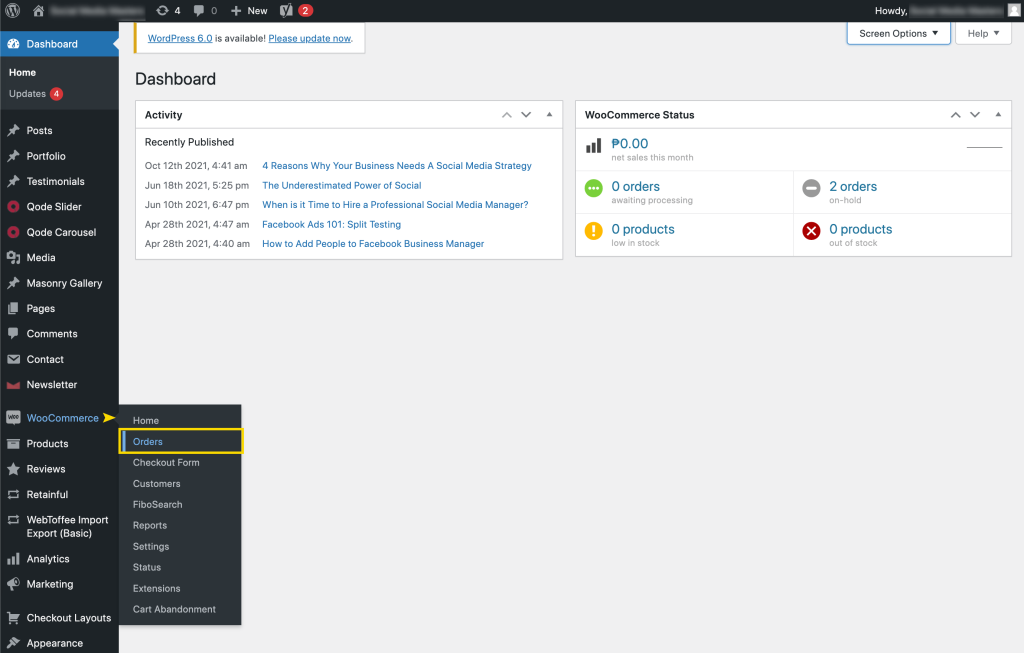
2. When you get to the dashboard, hover over the Woocommerce tab, then click Orders.
You should be able to see all the orders that looks like this.
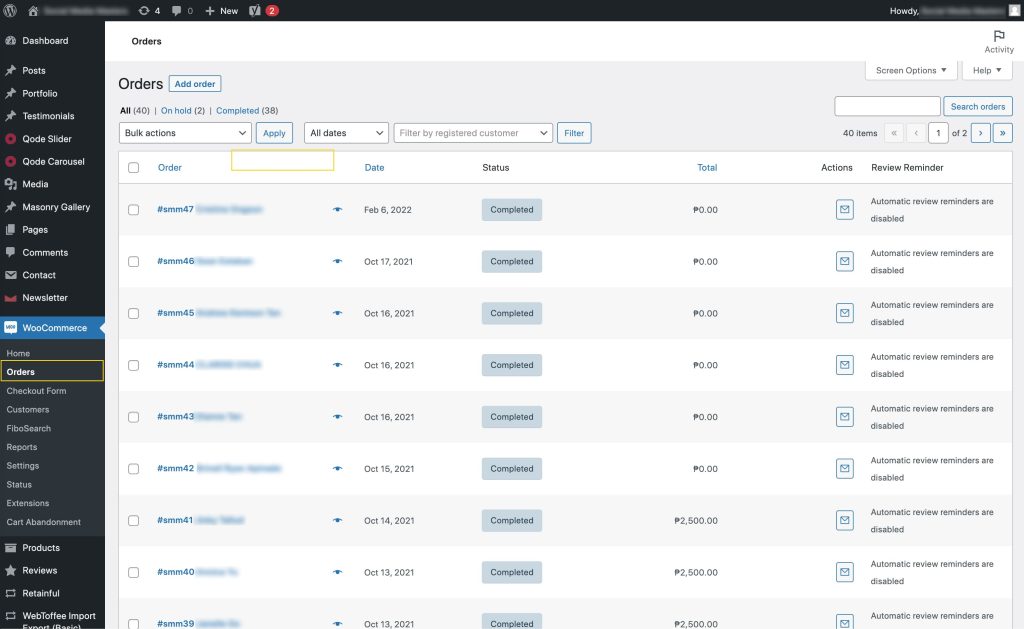
Now You can click each item to see the full order details. You can also use the search bar on the upper right hand corner to search by customer name, or order number.